Published: September 6, 2026
Last reviewed: September 8, 2026
Publisher: Ayman Altair
WebCoreShop is a consultancy operated by Ayman Altair, using scopes and reporting.
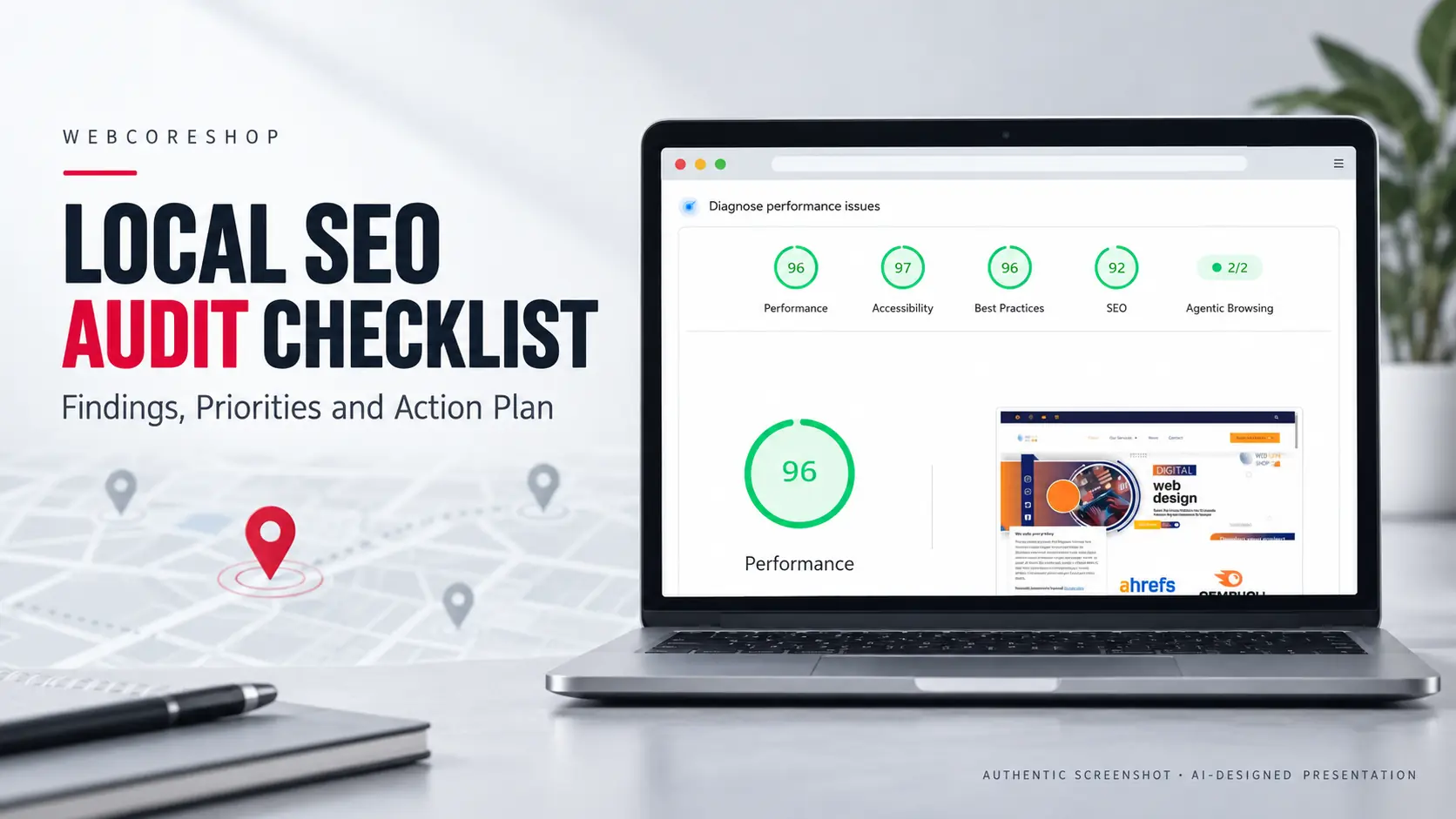
A local SEO audit checks whether a business’s website, Google Business Profile, listings, reviews and local visibility are accurate, accessible and measurable. It turns verified problems into priorities and an action plan instead of treating every automated warning as a confirmed issue.
A useful audit defines the business, location, service and customer action, records evidence and separates diagnosis from implementation. Small-business owners can review Local SEO service fit separately.
| What you notice | First checks | Evidence to save |
|---|---|---|
| Customers cannot reach you | Telephone, form and booking destinations | Tested URL, device, date and result |
| A service page is missing from search | Indexing information and selected canonical | Authorized URL Inspection record |
| Business details differ across platforms | Website, profile and relevant listings | Listing URL and owner-confirmed correction |
| Visibility appears to have fallen | Comparable queries, locations and dates | Search records and relevant account exports |
A decision-ready audit contains scope, dated evidence, verified findings, priorities, an owner, a completion check and limitations. Use the printable checklist and action plan (PDF) for an internal review.
Start the audit: Download the printable PDF No email or enquiry is required.
Local SEO Audit Checklist
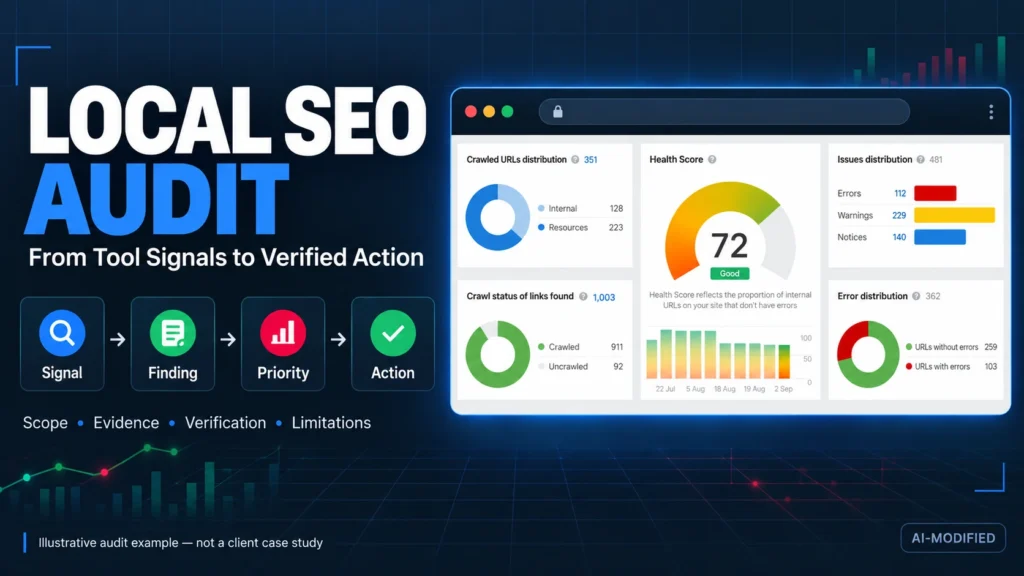
To understand how to do a local SEO audit, follow the checks below: define scope, collect evidence, verify findings and assign an action plan. Begin with one location and its main enquiry page. Expand the same record to other locations only after the first review is usable.
1. Define the scope and inspect the website
Record the business model, genuine locations or service areas, main services and intended customer action. List the included URLs and accounts, identify who can provide access and save a dated view before recommending changes.
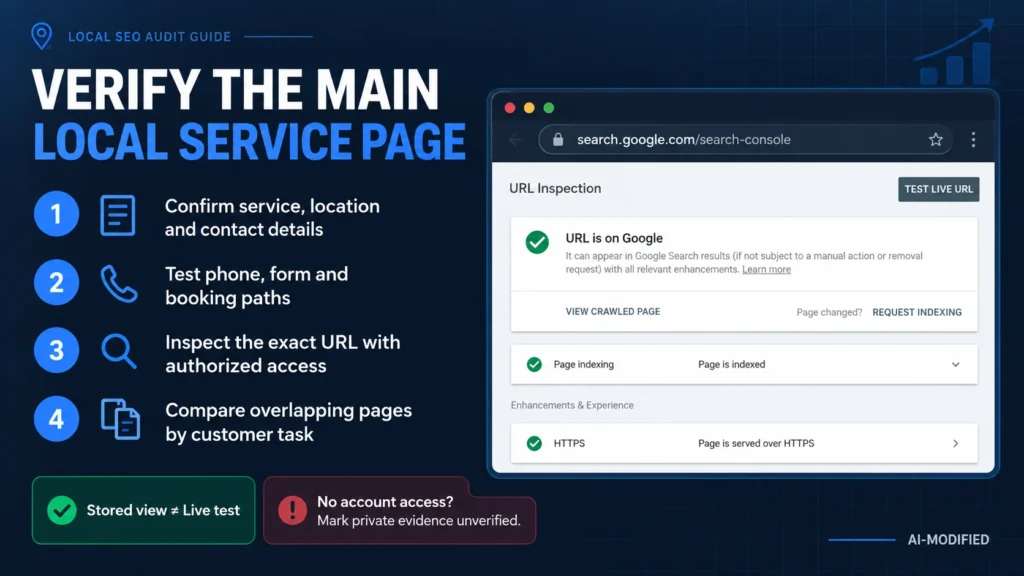
Open the main service page on mobile and confirm its service, location and contact details.
Follow telephone, form and booking links. Coordinate any test submission with the owner.
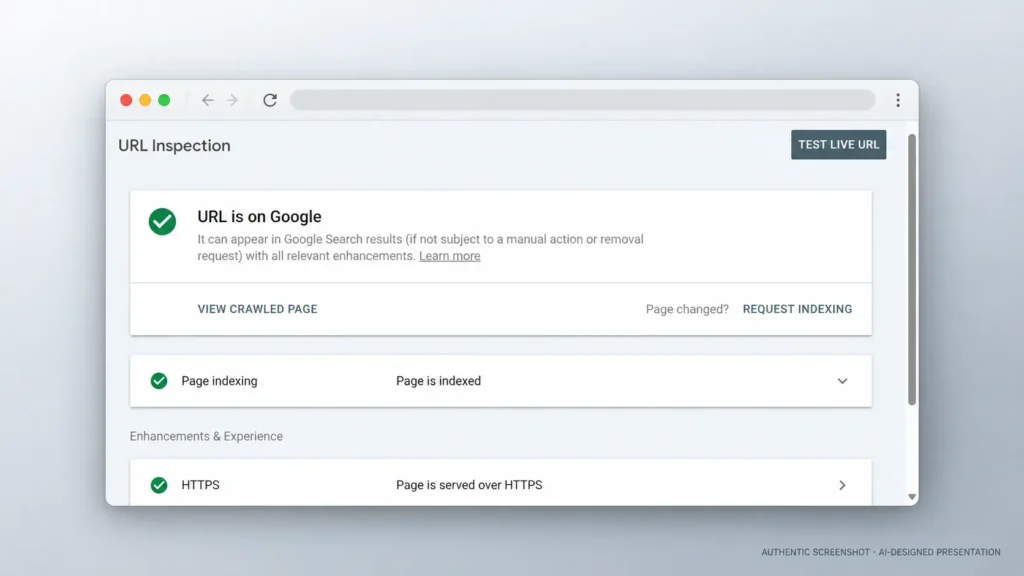
With authorized Search Console access, inspect the exact URL. Record indexing information and the reported canonical, separating Google’s indexed view from the live test. Google explains URL Inspection results.
Confirm that relevant navigation and internal links reach the intended page.
Compare potentially overlapping pages by audience, service, location, CTA and associated queries—not repeated words alone.
Without account access, record public checks and leave private indexing evidence unverified. A click event is not proof of a connected call or qualified enquiry; reconcile tracked actions with business records where possible.
2. Check existing business markup
Where markup exists, inspect JSON-LD syntax and the business type. Compare LocalBusiness, PostalAddress and GeoCoordinates values with accurate information visible on the page. Look for conflicting names, addresses or coordinates emitted by multiple plugins.
Use Schema.org validation for vocabulary and syntax and Google’s Rich Results Test for supported feature checks. Valid markup does not guarantee a rich result. Google’s LocalBusiness documentation defines feature requirements. Never publish a private residential address merely to complete markup.
3. Verify the Google Business Profile
Compare the public profile with owner-confirmed information and, when authorized, its management view.
Check the real-world business name, telephone number and website destination.
Compare categories and listed services with genuine operations.
Verify ordinary and special hours.
Check address visibility or the service area against the operating model.
Record profile status, suspected duplicates, map-pin accuracy and relevant attributes.
Follow the website link, including tracking parameters, to confirm its destination.
Save the profile URL, collection date and exact mismatch. Do not change a name, category or location because a competitor uses it. Follow Google’s business representation guidelines. Businesses that travel to customers should use Local SEO for service-area businesses for detailed implementation rules.
4. Compare citations, data networks and maps
Use this local citations audit checklist with owner-confirmed details as the comparison record. Check relevant listing URLs, telephone numbers, destinations and location details. Record material discrepancies rather than harmless punctuation differences. Investigate suspected duplicates before removal because similar names may represent different businesses.
Review customer-facing listings and relevant Apple business listings and Bing business listings. For US campaigns, assess applicable records and correction routes through Data Axle, TransUnion’s listing service and Foursquare. Check current market coverage instead of treating every network as compulsory.
5. Inspect review recency and customer feedback
Choose a documented period, such as the last 90 days, and record the platform and sample size. Count new reviews, note the newest review date, and calculate owner response rate as reviews with an owner response divided by reviews in the same sample.
Compare equivalent periods and business contexts. A small sample does not establish a trend, and there is no universal review cadence that guarantees rankings.
Group recurring positive and negative service themes to identify issues worth checking with the owner. Customer wording can clarify what people value or misunderstand; do not instruct customers to insert target keywords or fabricate reviews. Record observations separately from verified operational problems.
6. Record local and Google-surface visibility
Record real service queries, search location, device, date and method. Compare like-for-like observations. One screenshot cannot represent an entire service area; see Google’s local ranking guidance.
| Google surface | What to record | How to check |
|---|---|---|
| Search, snippets and PAA | Query, country, device, result type and URL | Search Console plus dated manual checks |
| Local Pack and Maps | Query, search location, profile and visible position | Business Profile data plus comparable observations |
| AI Overviews and AI Mode | Query, answer type, cited URL and date | Manual checks where available; verify citations against sources |
| Google Images and Lens | Image URL, landing page, alt text and context | Search Console image filter and image inspection |
| Discover | URL, date, clicks and impressions | Search Console Discover report, if available |
| Video results | Watch page, thumbnail and indexed status | Video indexing and performance reports, when video exists |
Standard SEO practices apply to AI Overviews and AI Mode; special AI markup is not required. Keep important facts visible and sourced. A missing citation is not proof of failure. See Google’s AI-feature guidance.
7. Separate warnings from confirmed findings
For readers comparing a manual local SEO audit vs automated reports, the difference is verification. Automated tools collect signals quickly, but an audit should not label every export as a confirmed problem. Each material signal needs context and evidence.
| Evidence stage | Meaning | Required treatment |
|---|---|---|
| Detected signal | A source identified a possible issue | Record source, asset, date and method |
| Verification pending | Evidence or access is missing | State what is required |
| Confirmed finding | The condition was reproduced or supported | Explain the affected customer or search path |
| Priority assigned | Impact, confidence, effort and dependencies were assessed | Place it in the action sequence |
| Completion validated | The approved change was implemented and checked | Record method, date and result |
Need a warning verified? Request a manual review when a crawler or dashboard reports an issue that you cannot reproduce. The scope will identify the assets, access, evidence and implementation boundary before work begins.
8. Capture evidence another person can verify
Recommended source: open Google Search Console for a site you own or are authorized to audit, select URL inspection, inspect the exact local service URL, and capture the Page indexing result with the inspection date and Google-selected canonical visible. Hide the domain if required, account email, property selector, client name and any customer data. Do not alter the indexing result.
Required caption: “Redacted Google Search Console URL Inspection evidence collected during an authorized local SEO audit on [date]. It shows [factual observation]. Client and account identifiers are hidden. The screenshot does not by itself prove ranking or revenue impact.”
Save the uncropped original privately in the audit evidence folder. In the article, show only the minimum area needed to support the finding. Obtain written permission if the property belongs to a client. If no suitable real evidence is available, keep this block out of the published article rather than substituting a stock image, mock-up or competitor screenshot.
Local SEO audit deliverable sample: this hypothetical example is not a client case or measured result. An audit flags a telephone link on the main service page. An authorized reviewer compares its destination with the owner-confirmed number and finds a mismatch.
| Field | Illustrative record |
|---|---|
| Finding | Telephone-link destination differs from the confirmed number |
| Evidence | Dated capture, link destination and owner confirmation |
| Consequence | Visitors may fail to reach the business |
| Priority | High if it is the main contact route and the evidence is confirmed |
| Action | Obtain approval, correct the link and retest it |
| Limitation | The finding does not quantify lost enquiries or predict ranking changes |
A reproducible note could read: “F-01; main service page; mobile telephone link differs from the confirmed number; screenshot and destination recorded; correction awaits an authorized editor.” If the number is correct but nobody answers, investigate the contact process instead of reporting a broken link.
9. Example finding record (illustrative)
Local SEO audit deliverable sample: this hypothetical example is not a client case or measured result. An audit flags a telephone link on the main service page. An authorized reviewer compares its destination with the owner-confirmed number and finds a mismatch.
| Field | Illustrative record |
|---|---|
| Finding | Telephone-link destination differs from the confirmed number |
| Evidence | Dated capture, link destination and owner confirmation |
| Consequence | Visitors may fail to reach the business |
| Priority | High if it is the main contact route and the evidence is confirmed |
| Action | Obtain approval, correct the link and retest it |
| Limitation | The finding does not quantify lost enquiries or predict ranking changes |
A reproducible note could read: “F-01; main service page; mobile telephone link differs from the confirmed number; screenshot and destination recorded; correction awaits an authorized editor.” If the number is correct but nobody answers, investigate the contact process instead of reporting a broken link.
10. Prioritize the next action
When deciding how to audit local SEO with limited access, use a local SEO audit action plan template with three states: verify first, approve for action or monitor. A confirmed failure in the principal contact path may precede minor listing-format differences. If the correct value is unknown, owner confirmation must come before editing.
Assign each task to a responsible person, required access and completion check. The audit diagnoses and sequences work; implementation begins only after scope approval. Use the Local SEO strategy and implementation plan to organize approved work or Local SEO services for implementation when delivery support is required.
Local SEO Audit Template
Use this local search audit template to keep scope, checks, evidence, findings and approved actions together. The local SEO audit checklist spreadsheet provides the review sequence, while the local SEO audit spreadsheet records each finding and action. If you are learning how to perform a local SEO audit, start with one location and its main enquiry page.
Download the local SEO audit checklist and action plan (PDF)
For every finding, record the affected asset, evidence source and date, verified condition, limitation, severity, confidence, priority, approved action, owner, access requirement, validation method and review date. Use checked, issue found, not verified or not applicable for checklist status. “Checked” means the inspection occurred; it does not mean the business passed.
Local SEO Audit PDF
| Resource | What it includes | Download |
|---|---|---|
| Local SEO Audit Checklist & Action Plan — PDF | 6-page guide: scope, evidence, findings, priorities and action plan | Download the printable PDF |
The files support manual inspection; they do not automatically diagnose a business or predict results.
If budget is the next decision, review Local SEO pricing and scope factors. Pricing belongs on that owner page; this guide remains focused on audit diagnosis and priorities.
The review documents findings and next actions; it does not guarantee rankings or revenue.
Request a manual audit and implementation scope on WhatsApp
Do not send passwords, recovery codes, private customer records or unrestricted credentials through WhatsApp. Agree secure access separately after confirming the scope.
Request a Local SEO audit scope
Request a structured review when important website, profile, listing or visibility problems cannot be confirmed through an automated report alone. Send your website URL, main service, target location and observed problem. You receive a written scope defining the locations and assets reviewed, evidence required, deliverable, limitations, implementation boundary, timing and applicable tax before work begins.
If budget is the next decision, review Local SEO pricing and scope factors. Pricing belongs on that owner page; this guide remains focused on audit diagnosis and priorities.
The review documents findings and next actions; it does not guarantee rankings or revenue.
Request a manual audit and implementation scope on WhatsApp
Do not send passwords, recovery codes, private customer records or unrestricted credentials through WhatsApp. Agree secure access separately after confirming the scope.